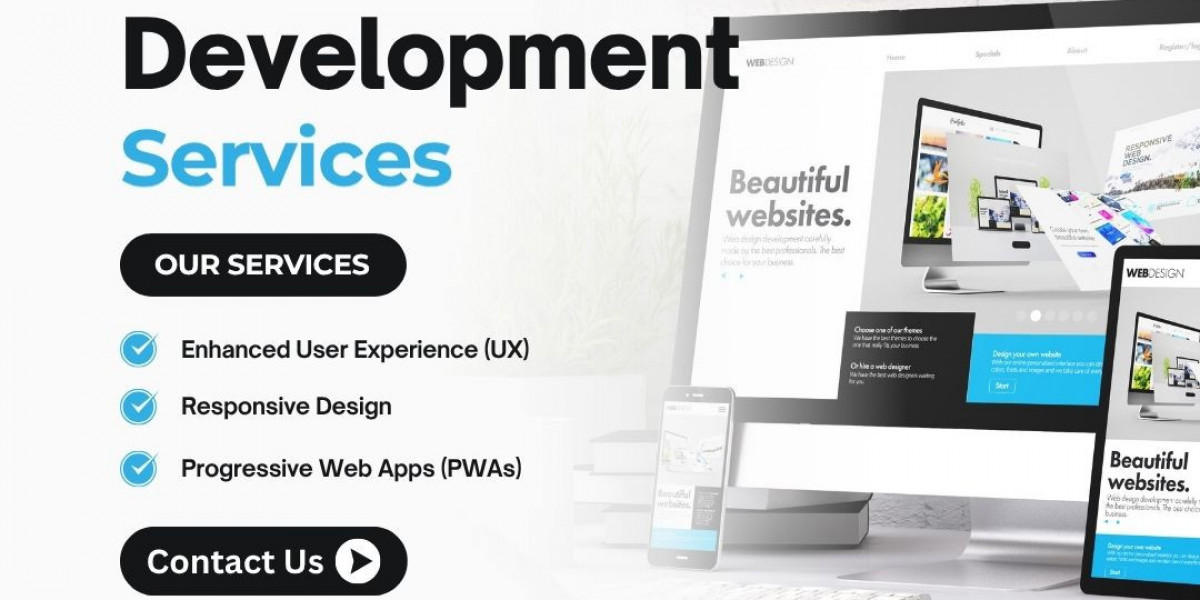

A Website Designing Company in Delhi can help businesses redesign outdated websites, improve user experience, and move existing websites to modern platforms. However, website redesign and migration require careful planning, especially when a business already receives visitors from Google and other search engines.
Many businesses invest in a new website because their existing design looks outdated, loads slowly, or does not work properly on mobile devices. While redesigning can improve functionality and appearance, changing important technical elements without a clear strategy may affect search visibility.
Website migration involves more than transferring files from one hosting server to another. Depending on the project, it may include changing the website platform, domain name, URL structure, design, content, or hosting environment.
A properly planned migration aims to preserve important website information, maintain accessibility, and reduce unnecessary disruption.
Businesses looking for a professional Website Designing Company in Delhi should discuss SEO requirements before starting a redesign or migration project.
Why Businesses Redesign Their Websites
A website should evolve with changing business requirements, customer expectations, and technology.
An older website may no longer provide the experience visitors expect.
Common Reasons for Website Redesign
Outdated website appearance.
Poor mobile responsiveness.
Slow loading speed.
Difficult navigation.
Broken website functionality.
Outdated content management systems.
Security concerns.
Changing business services.
Limited integration capabilities.
Poor enquiry form performance.
A redesign can address these issues, but businesses should avoid changing successful website elements without understanding their value.
1. Understand the Difference Between Website Redesign and Migration
Website redesign and website migration are related but different activities.
Website Redesign
Website redesign focuses on improving the visual appearance, layout, navigation, content presentation, or user experience.
A redesign may retain the existing website platform and URLs.
Website Migration
Website migration involves significant technical changes, such as:
Moving to a new domain.
Changing hosting providers.
Switching from HTML to WordPress.
Moving from WordPress to custom PHP.
Changing URL structures.
Migrating an online store.
Reorganizing website content.
Some projects involve both redesign and migration.
Understanding the project scope helps businesses prepare an appropriate implementation plan.
2. Perform a Complete Website Audit Before Redesign
Before changing an existing website, businesses should review its current performance.
An SEO audit helps identify valuable pages and technical issues.
Important Audit Areas
Organic Traffic: Identify pages receiving search traffic.
Search Queries: Review relevant search terms.
Indexed Pages: Check which URLs appear in Google Search.
Backlinks: Identify important external links.
Website Speed: Review performance issues.
Mobile Usability: Evaluate responsive design.
Internal Links: Understand the existing website structure.
Technical Errors: Identify broken pages and redirects.
A professional website development company in Delhi can help businesses plan the technical requirements of a redesign.
3. Identify High-Performing Website Pages
Not every website page contributes equally to organic traffic or customer enquiries.
Some pages may attract relevant visitors, while others support internal navigation or provide important information.
Pages Worth Reviewing Carefully
Homepage.
Main service pages.
Product pages.
Location pages.
Blog articles.
Contact pages.
Frequently asked questions.
Important landing pages.
Businesses should avoid deleting valuable pages without evaluating their purpose.
If a page must be removed, the appropriate action depends on whether a relevant replacement exists.
4. Preserve Important Website URLs
URLs are important because search engines and external websites use them to locate content.
Changing URLs unnecessarily can create additional migration work.
Example
Existing URL:
https://moxiwebsitedesign.com/website-designing-company-in-delhi/
New URL:
https://moxiwebsitedesign.com/services/website-designing-company-delhi/
If the original URL changes, the website should generally provide an appropriate permanent redirect to the relevant new page.
However, retaining an existing URL may be preferable when its content and purpose remain unchanged.
5. Create a Proper 301 Redirect Plan
A 301 redirect tells browsers and search engines that a resource has permanently moved.
Redirects are particularly important when changing URL structures or domains.
Example Redirect Mapping
| Old URL | New URL |
|---|---|
/old-services/ | /services/ |
/old-about-us/ | /about-us/ |
/old-contact/ | /contact/ |
/old-blog-post/ | /blog/new-post/ |
Each old URL should redirect to the most relevant replacement.
Avoid redirecting every deleted page to the homepage, as this can create a poor user experience and may be treated as a soft 404.
6. Maintain SEO Titles and Meta Descriptions
SEO titles and meta descriptions help describe website pages in search results.
During a redesign, these elements should be reviewed rather than automatically replaced.
Important SEO Elements
SEO Title: Accurately describes the page.
Meta Description: Summarizes the content.
H1 Heading: Identifies the main page topic.
H2 and H3 Headings: Organize supporting information.
Canonical URL: Identifies the preferred URL where appropriate.
Image Alt Text: Describes relevant images.
Structured Data: Provides supported machine-readable information.
A professional web designing company in Delhi can help coordinate technical implementation with an existing SEO strategy.
7. Protect Website Content During Migration
Website content should be transferred carefully.
Businesses sometimes lose valuable text, images, FAQs, or product information when replacing an existing design.
Content Migration Checklist
Preserve important service descriptions.
Transfer relevant blog articles.
Maintain useful FAQs.
Review internal links.
Update outdated information.
Preserve relevant image descriptions.
Verify downloadable resources.
Check formatting after migration.
Content improvements can be included in a redesign, but unnecessary large-scale changes may make performance comparisons more difficult.
8. Review Internal Linking Structure
Internal links help visitors and search engines navigate a website.
When URLs change, internal links should be updated to point directly to the new destinations.
Important Internal Link Locations
Main navigation.
Footer links.
Service pages.
Blog articles.
Breadcrumb navigation.
Related content sections.
Call-to-action buttons.
Avoid relying on redirects for all internal navigation.
Direct internal links are generally cleaner and easier to maintain.
9. Maintain Website Design Consistency
Website redesign should improve the user experience without making familiar information difficult to locate.
Important Design Considerations
Header Navigation: Keep important pages accessible.
Footer Structure: Provide useful links.
Typography: Use readable fonts.
Mobile Layout: Support smartphones and tablets.
Brand Identity: Maintain appropriate colors and visual elements.
Call-to-Action Placement: Help visitors complete relevant actions.
Businesses exploring professional website designing services in Delhi should discuss design requirements alongside technical and SEO considerations.
10. Test the New Website Before Launch
A staging environment allows developers to test website changes before making them public.
Important Pre-Launch Tests
Check page layouts.
Test mobile responsiveness.
Verify contact forms.
Check navigation menus.
Test website search.
Review page speed.
Verify images.
Check internal links.
Validate structured data.
Test redirects.
Review canonical tags.
Confirm important pages are indexable.
Staging websites should be protected from unintended indexing.
However, any temporary indexing restrictions must be removed from the production website when appropriate.
11. Update XML Sitemaps
An XML sitemap helps search engines discover relevant website URLs.
After migration, the sitemap should reflect the current website structure.
Sitemap Best Practices
Include intended canonical URLs.
Remove outdated redirected URLs.
Exclude pages that should not be indexed.
Verify sitemap accessibility.
Submit the updated sitemap through Google Search Console.
A sitemap does not guarantee indexing, but it supports URL discovery.
12. Check Robots.txt and Indexing Settings
Incorrect indexing settings can prevent search engines from accessing important website pages.
Common Migration Problems
Accidental Noindex Tags: Important pages may be excluded.
Robots.txt Restrictions: Search engines may be blocked from crawling required resources.
Incorrect Canonical URLs: Pages may reference unintended destinations.
Broken Redirects: Visitors may encounter errors.
Server Errors: Important pages may become unavailable.
These issues should be checked before and after launch.
13. Improve Website Speed During Redesign
A redesign provides an opportunity to address performance problems.
Website Speed Optimization Practices
Compress appropriate images.
Use modern image formats where suitable.
Reduce unnecessary JavaScript.
Optimize CSS delivery.
Review hosting performance.
Implement caching appropriately.
Avoid excessive plugins.
Test important page templates.
Website performance should be measured using relevant tools and real-user data where available.
14. Monitor Google Search Console After Migration
Google Search Console can help businesses identify technical and search performance changes.
Important Areas to Monitor
Indexing Reports: Review indexing issues.
Search Performance: Compare clicks and impressions.
Sitemaps: Verify submitted sitemap status.
URL Inspection: Check important pages.
Core Web Vitals: Monitor available performance data.
Manual Actions: Review any reported issues.
Temporary fluctuations can occur after significant website changes.
Businesses should investigate meaningful or persistent declines rather than assuming every short-term change indicates a problem.
15. Measure SEO Performance After Launch
A successful migration should be evaluated over an appropriate period.
Useful Performance Metrics
| Metric | What to Review |
|---|---|
| Organic Clicks | Changes in search traffic |
| Search Impressions | Changes in visibility |
| Indexed Pages | Important URL coverage |
| Redirect Errors | Broken or incorrect redirects |
| Enquiry Submissions | Lead generation performance |
| Page Speed | Technical performance |
| Conversion Rate | Visitor actions |
| Mobile Usability | User experience |
Comparisons should account for seasonality, marketing activity, and other factors that may influence results.
16. Avoid Common Website Migration Mistakes
Website migration problems often result from inadequate planning or testing.
Common Mistakes
Changing Every URL: Creates unnecessary redirect requirements.
Deleting Important Content: Removes potentially useful information.
Ignoring Backlinks: Leaves external links pointing to outdated pages.
Forgetting Internal Links: Creates unnecessary redirects.
Launching Without Testing: Allows avoidable errors to reach visitors.
Blocking Search Engines: Prevents intended indexing.
Ignoring Analytics: Makes performance changes harder to evaluate.
Removing Structured Data: May eliminate useful machine-readable information.
Avoiding these mistakes can reduce migration risks.
17. Choose the Right Website Development Partner
Website redesign requires coordination between design, development, content, and SEO activities.
Questions to Ask Before Hiring
Will existing website URLs be reviewed?
Will important SEO elements be preserved?
Is a redirect mapping plan included?
Will the new website be tested before launch?
Will contact forms and integrations be checked?
Will Google Search Console be reviewed?
Is post-launch technical support available?
Who will manage website backups?
Will the website remain mobile-friendly?
What happens if migration errors are discovered?
Clear project requirements can help avoid misunderstandings.
How Moxi Web Services Supports Website Redesign and Development
Moxi Web Services provides website designing and development solutions for businesses seeking a professional digital presence.
Its services include responsive website design, WordPress development, custom website development, and website redesign.
Businesses searching for an affordable website designing company in Delhi can explore available services and discuss their website redesign requirements.
When planning a migration, businesses should confirm that URL mapping, content preservation, technical SEO checks, testing, and post-launch monitoring are included in the agreed project scope.
Frequently Asked Questions
Can website redesign affect Google rankings?
Yes. Significant changes to URLs, content, internal links, or technical settings can affect search visibility. Careful planning can reduce avoidable risks.
What is a 301 redirect?
A 301 redirect indicates that a URL has permanently moved to another location.
Should website URLs change during redesign?
Not necessarily. Existing URLs can often be retained when the content and page purpose remain the same.
Can a WordPress website be migrated to custom PHP?
Yes. However, content, URLs, functionality, and technical SEO requirements should be reviewed before migration.
How long does Google take to process website changes?
The timing varies depending on the website, crawl activity, and the scale of changes. There is no guaranteed recovery or processing timeline.
Is Google Search Console important after migration?
Yes. It helps monitor indexing, search performance, and certain technical issues.
Can website migration guarantee existing rankings?
No. Rankings cannot be guaranteed, but appropriate migration planning can help reduce avoidable SEO disruption.
What should businesses check immediately after launching a redesigned website?
They should verify important pages, redirects, indexing settings, forms, analytics, internal links, and website functionality.
Conclusion
Website redesign and migration can help businesses improve their digital presence, but technical changes should be managed carefully.
Preserving important content, reviewing URLs, implementing appropriate redirects, maintaining internal links, and testing functionality can reduce unnecessary disruption.
A successful migration requires planning before launch and monitoring afterward.
Businesses should evaluate both website usability and search performance when assessing the results of a redesign.
Explore Moxi Web Services to learn more about professional website designing, development, and redesign solutions.